On this page
Granting permission to create related tickets
Relating a ticket to an existing ticket
In Movidesk you can create parent/child relationships between tickets to track related issues and establish dependencies.
If a parent and child ticket are marked as dependent, the parent ticket cannot be resolved, canceled, or closed while the child ticket is still open.
Granting permission to create related tickets
Agents do not require specific permissions to create parent and child tickets. See the Creating a ticket article for more information on how to configure ticket creation permissions.
If parent and child tickets created by an agent should be dependent by default, you can configure their access profile to control the default for related tickets. Go to Configurations > Access profiles and select the Access profile applied to the user. In the Access profile, go to the Tickets tab and select Open related tickets as dependent.
You may want to allow agents to access any parent tickets of tickets they are assigned to. To give them permission to access these parent tickets, go to Configurations > Access profiles and select the Access profile applied to the user. In the Access profile, go to the Rule-based access tab.
In the User can view tickets and User can edit tickets parameters, select Assigned to them and parent tickets to allow the agent to view and edit the parent tickets, respectively.
Viewing related tickets
On the ticket form, you can view related tickets in the Related tickets section. Here will be listed all parent and child relationships for the ticket, and whether any of them are dependent.
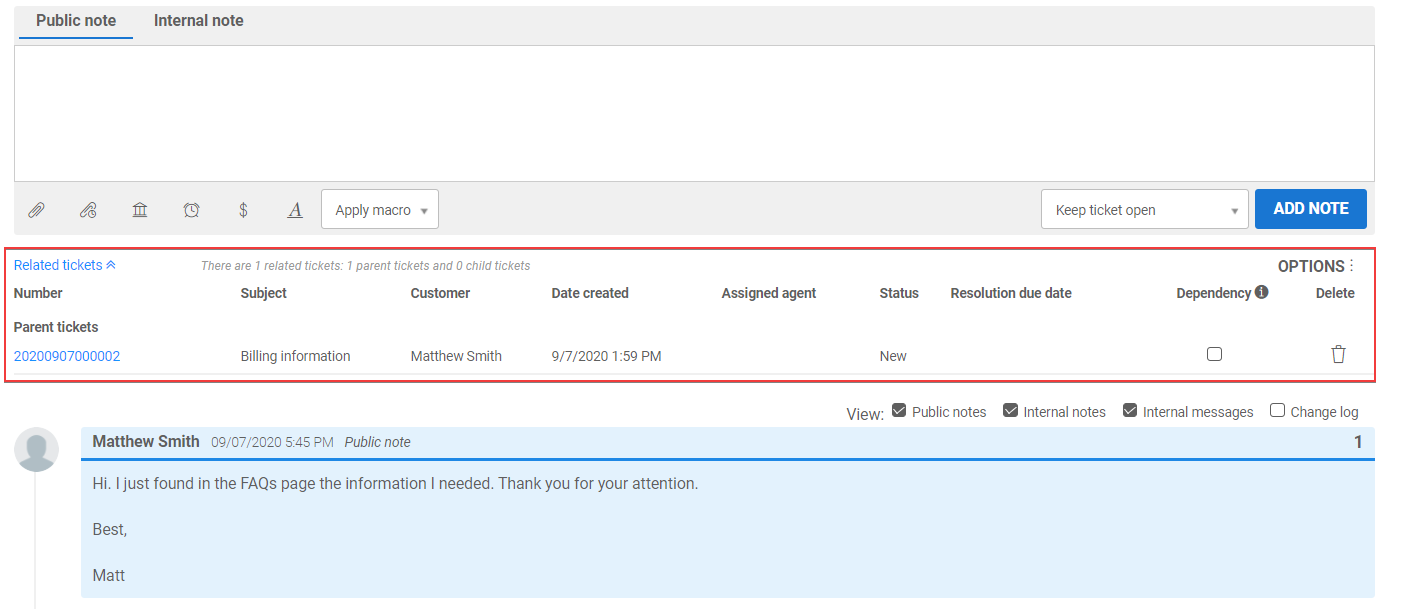
Creating a parent ticket
To create a parent ticket, select Options in the Related tickets section of the ticket form.
Select the Create new option under Parent ticket.
Remember to save the new ticket after entering any relevant information. The new ticket won’t be displayed under Related tickets of the child ticket until it is saved.
Creating a child ticket
To create a child ticket, select Options in the Related tickets section of the ticket form.
Select the Create new option under Child ticket.
Remember to save the new ticket after entering any relevant information. The new ticket won’t be displayed under Related tickets of the parent ticket until it is saved.
Relating a ticket to an existing ticket
Select Options in the Related tickets section of the ticket form to view options to relate the ticket to existing tickets.
To relate the ticket to a parent ticket, select Relate to an existing one under Parent ticket.
To relate the ticket to a child ticket, select Relate to an existing one under Child ticket.