To help build a knowledge base in your company, we make the codes used in Movedesk's knowledge base available.
Attached is the file ("Base.zip") that contains the codes to build the knowledge base.
What you need to do before passing codes to Movidesk
First, download the file at the end of this article. You can use WinRAR to open it.
This file contains some documents with Movidesk codes, separated according to the knowledge base configuration in the system itself.
Pay close attention to the name of each document to pass the code to its proper place in Movidesk, as will be shown in the next topic.
The links and images available in the codes are from Movidesk itself, and you must update them according to your brand, so that your customer is not unintentionally redirected to any Movidesk website, such as our knowledge base or our social networks.
Ideally, you should have a professional in the company to help customize your knowledge base. We provide the codes to support and facilitate configuration, but we don't support customization.
How to enter codes in Movidesk
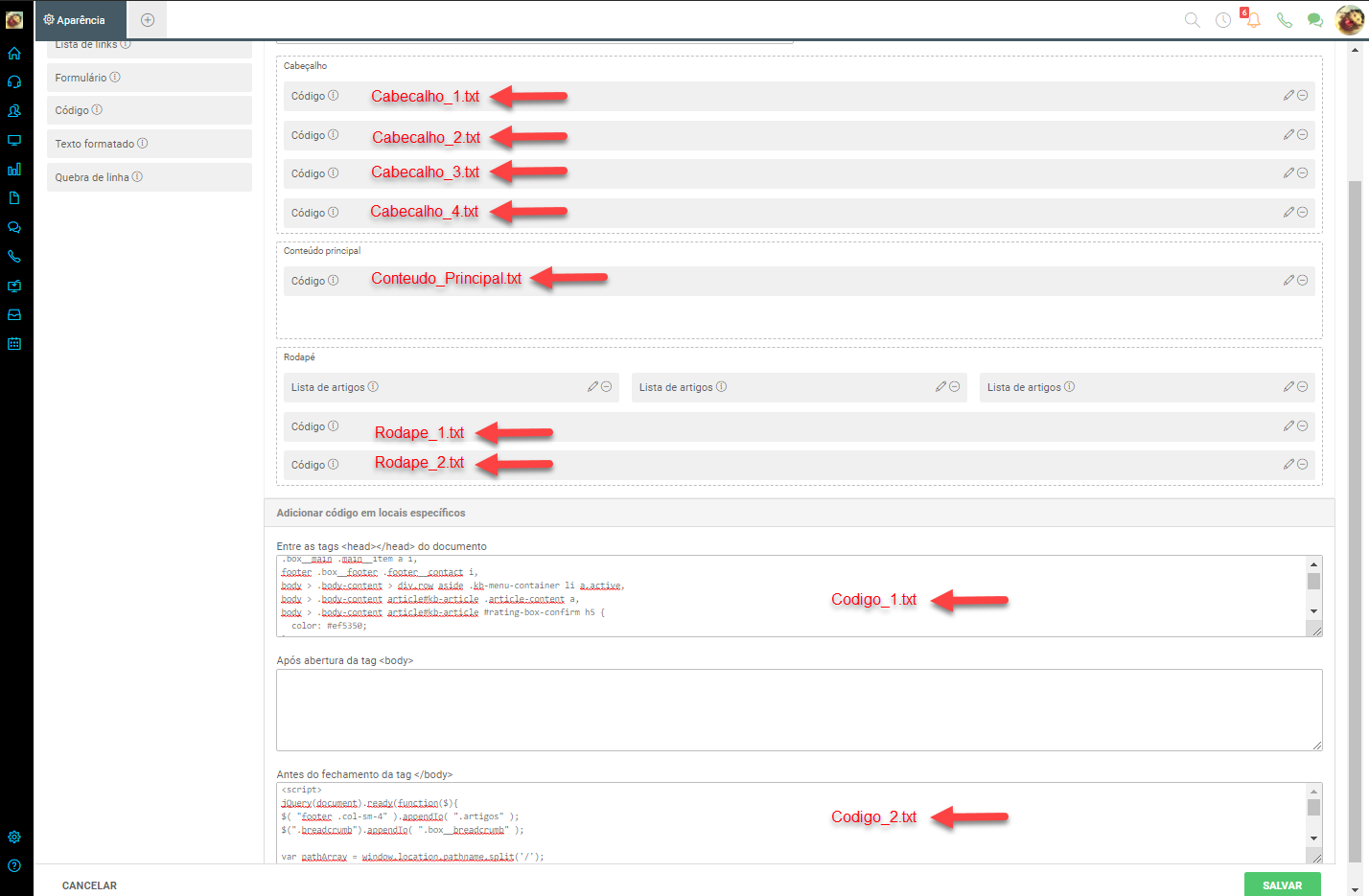
The files "Cabecalho_X.txt" are the header codes. For each file, you can create a “Code” field.
So there will be four "Code" fields in the header:

The file "ConteudoPrincipal.txt" is a field of type "Code":

The codes "Rodape1" and "Rodape2" are used in the footer. This print serves as an example of our database, which has 3 lists of articles before the codes:
To configure the CSS, use the file "Codigo_1.txt", which will be inserted in the field below:

And the file "Codigo_2.txt" must be inserted in the last field:


Thus, your base configuration will be similar to: