On this page
Granting permission to start chats in the ticket form
You can start chats from within ticket forms to facilitate real-time communication with agents.
Agents can invite other agents to chat about a ticket, and customers can invite the agent assigned to the ticket to chat if that agent is online.
Granting permission to start chats in the ticket form
To give users permission to start chats from the ticket form, go to Configurations > Access profiles and select the Access profile applied to the user. In the Access profile, go to the Tickets tab.
If this a customer access profile, select User can invite assigned agent to chat.
If this is an agent access profile, select User can start chat from ticket.
Starting chats as a customer
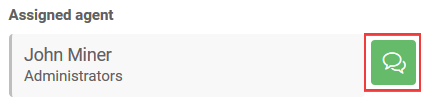
If the assigned agent of the ticket is online in the Chat module, customers can select the chat icon next to the agent’s name to invite them to chat.
Select Close chat on the right pane of the ticket form to end the chat.
Starting chats as an agent
To invite another agent to chat, select Options on the upper-right corner of the ticket form, then select Start chat.
Select Invite to chat and then search for and select an agent to invite to them to chat. Note that only agents that are online in the Chat module can be invited.
Select Close chat on the right pane of the ticket form to end the chat.