On this page
Granting permission to reopen tickets
Tickets with a base status of Resolved, Canceled, or Closed can be manually reopened by agents.
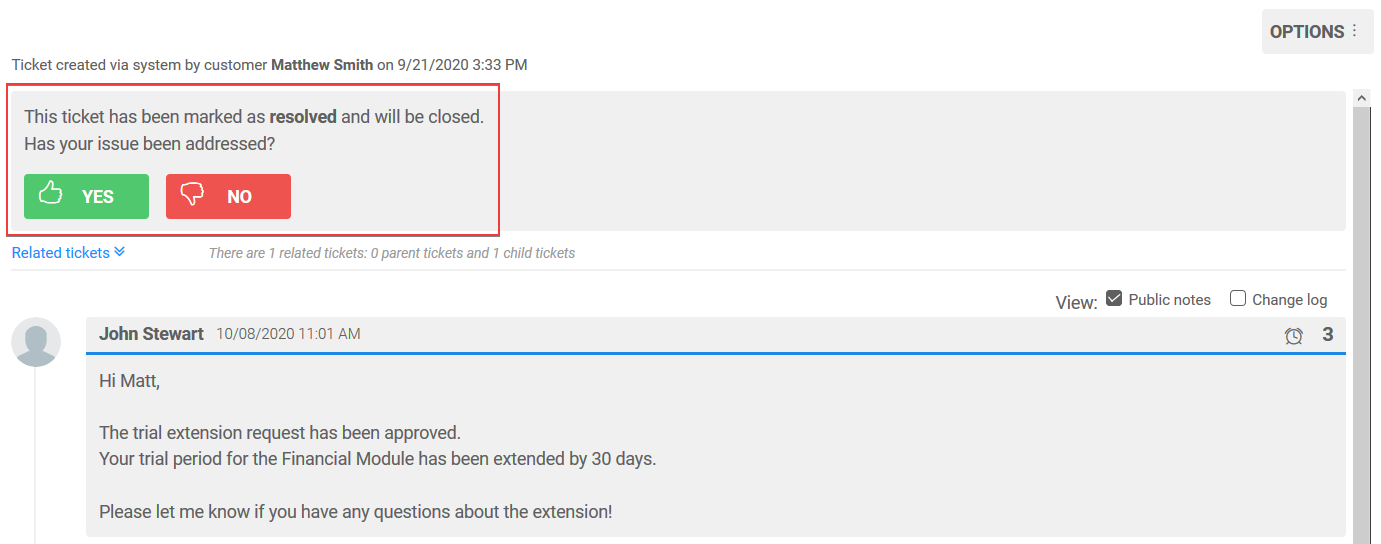
Customers can reopen tickets with a base status of Resolved. These tickets can also be automatically reopened when an incoming email is imported as a new note, or through a third party system integration.
|
|
Note Incoming emails will not reopen tickets with a base status of Closed or Canceled. Instead a new ticket will created and flagged as a continuation of the original ticket. |

Granting permission to reopen tickets
Agents
To grant an agent permission to reopen tickets, go to Configurations > Access profiles and select the Access profile applied to the user. In the Access profile, go to the Tickets tab.
Select User can reopen tickets.
Optionally, select a time limit for the agent to reopen a ticket. Note the time limit is set in calendar hours, not business hours.
Customers
Customers always have permission to reopen tickets in a Resolved base status.
Reopening a ticket
Agents
To reopen a ticket, go to ticket form and select Reopen ticket.
Customers
To reopen a ticket, go to the ticket form and select No on the resolution confirmation prompt.